Business Card Printing In Bangalore: Small Yet Powerful Branding

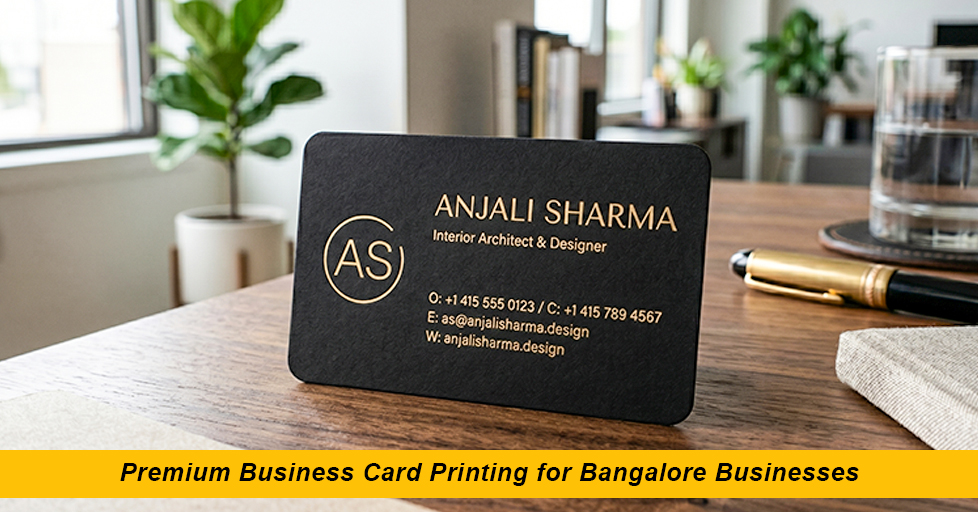
“A business card is still one of the most personal things you hand someone. In a city like Bangalore, where you’re constantly meeting clients, founders, and collaborators, getting it right matters more than most people think.”
You’d think ordering a business card is simple. Pick a design, choose a quantity, get them printed. But ask anyone who has gone through a bad print job – wrong colours, flimsy paper, a font that is barely readable – and they’ll tell you the process has more decisions in it than it looks.
This guide is for anyone who wants to get business card printing in Bangalore done properly, without wasting money on a batch they end up embarrassed to hand out.
Why Business Cards Still Matter
There’s a view that physical cards are outdated and that QR codes and digital contacts have replaced them. In practice, that’s not quite what happens. In meetings, at events, during chance introductions, handing someone a physical card is still a natural and immediate gesture. It’s tactile. It stays in a wallet or on a desk in a way a phone contact doesn’t.
In Bangalore especially, where networking moves fast across tech, startups, retail, and services, a well-made card says something about how seriously you take your work. Across Bangalore’s major business districts, including Whitefield, Koramangala, JP Nagar, BTM Layout, HSR Layout, and Electronic City, professionals continue to use premium business cards as an effective branding and networking tool. It’s a small thing, but small things compound. The best business card isn’t the flashiest one in the room; it’s the one that’s still sitting on someone’s desk three weeks later.
Choosing the Right Paper and Finish for Business Cards
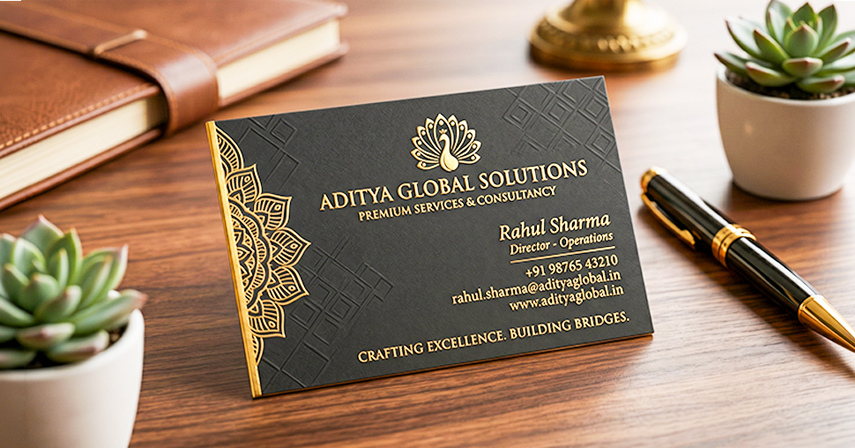
The single biggest difference between a card that feels good and one that doesn’t is the paper stock. Thin, flimsy cards signal that not much thought went into them. Here’s a quick breakdown of what’s commonly available for business card printing in Bangalore:
350–400 GSM Matte
The most popular choice. Feels solid in hand, easy to write on, professional without being flashy. Works for almost every industry.
Gloss Lamination
Colours look vivid and sharp. Slightly slippery feel. Good for photography-heavy or vibrant brand identities.
Soft Touch / Velvet
Has a slightly rubberised matte finish. Feels premium. Popular in luxury, consulting, and design sectors.
Spot UV
A selective gloss coating over parts of a matte card’s logo, name, and pattern. Creates contrast and a high-end tactile effect.
Foil Stamping
Gold, silver, or holographic foil on specific elements. Eye-catching, especially for premium service brands.
Recycled / Kraft Stock
Brown textured base material. Works well for sustainable brands, organic businesses, or anyone who wants a natural, earthy feel.
If you’re not sure which to go with, matte lamination on 400 GSM is a safe, reliable starting point. It photographs well, writes well, and holds up in a wallet.
Getting the Design Right for Your Business Card in Bangalore
Print exposes every design flaw that a screen hides. A colour that looks clean on your monitor might print muddy. A font that reads fine at screen size might become illegible at 9 pt. These aren’t hypothetical problems they come up with regularly.
A few things worth knowing before you send artwork to a business card design and print shop:
Use CMYK colour mode, not RGB. RGB is for screens. Printing uses CMYK. If your file is in RGB, colour shifts can happen during conversion, sometimes subtly, sometimes obviously.
- Keep text at least 7–8pt. Anything below that and fine fonts become hard to read once printed, especially on textured stocks.
- Add bleed (typically 3mm). Any design element going to the card edge needs to extend beyond the trim line. Without bleed, you get white edges after cutting.
- Embed or outline your fonts. If the print shop doesn’t have your font installed, text can reflow or be substituted for something else entirely.
- Keep file resolution at 300 DPI. Images and logos at 72 DPI will look pixelated in print even if they look fine on screen.
- If you’re using a designer for your business card design in Bangalore, make sure they know the specs upfront. If you’re using a template, confirm the template is set up for print and not just screen use
What to Ask When You Approach a Print Vendor
Not every print shop in Bangalore operates the same way. Before confirming an order, it’s worth asking a few straight questions:
Do you provide a physical proof or digital soft proof before the full run? For anything above 250–300 cards, a proof is worth the small extra cost.
What’s the turnaround time? Standard jobs typically run 2–4 working days. Rush jobs are possible but cost more and sometimes cut corners.
What’s the minimum order quantity? Some shops have a 100-card minimum; others will do 50 or even less for digital printing.
Is the cutting done by machine? Machine cutting gives cleaner, more consistent edges than manual trimming.
Can you do double-sided printing?
Using the back of the card for a QR code, tagline, or service list adds value without much extra cost.
Quantity – How Many Should You Actually Order?
This depends entirely on how actively you network. For someone who attends two or three events a month and regularly meets new clients, 250–500 cards can last a year comfortably. For someone in sales or business development who hands them out daily, 500–1,000 makes more sense. One practical point: the cost per card drops significantly with quantity. The difference in price between 100 and 500 cards is usually not proportional. 500 cards often cost only 30–40% more than 100. Unless your details are changing soon, ordering more upfront generally makes sense.
Standard vs. Custom Shapes and Sizes
The standard business card size in India is 90mm × 54mm. This fits standard cardholders and wallets, which is a genuine practical advantage. Most business card printing in Bangalore is done at this size.
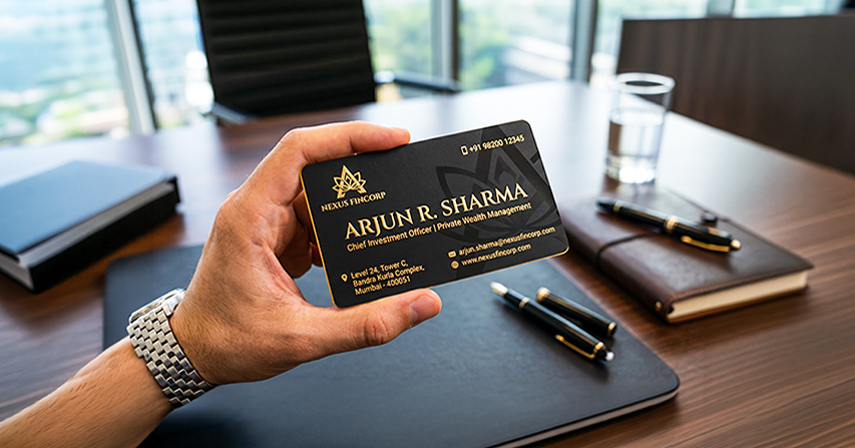
Custom shapes – square cards, rounded corners, and slim cards – are available and can look distinctive. Just keep in mind that unusual sizes don’t always fit in cardholders, which means people are more likely to set them down somewhere and forget them. Rounded corners are a nice middle ground: they look slightly more considered than sharp corners without causing any practical problems.
Ending Notes
If you’re a freelancer or a small business just starting out, 250 cards is usually a sensible first order. It’s enough to last several months while you figure out whether the design and details need any changes. So when you are looking for the best custom business card printing near your locations in Bangalore, then just make sure you have the right printing partner. Here comes ARC India; we help to get your business card printing done on time, with great quality, and offer your premium material and perks of ordering in bulk.
How much does business card printing in Bangalore typically cost?
There are different types of business cards available and can be customized accordingly and depending on the vendor and finish. Premium finishes like soft touch, spot UV, or foil push the price higher. Digital printing for smaller quantities and offset printing for larger runs have different pricing structures; it’s worth getting two or three quotes for any sizable order. So for pricing just get in touch with ARC India to know more and you can also order in bulk.
How long does business card printing take in Bangalore?
Standard turnaround is 2 to 4 working days for most print shops once artwork is approved. If you need them faster, same-day or next-day printing then you may connect with us to know about it. Factor in design and approval time on top of print turnaround if you’re working with a designer.
What file format should I send for printing?
PDF is the most reliable format for print. Make sure it’s a print-ready PDF with bleed, crop marks, CMYK colour mode, and all fonts embedded or outlined. AI (Adobe Illustrator) files are also widely accepted. Avoid sending JPEG or PNG files for text-heavy designs; they can introduce compression artefacts that are visible in print.
Can I get business cards printed according to my business needs ?
Yes, you can get it done as per your business needs and we offer hassle free customization options near you. If you go the template route, just make sure the final file is set up for print (CMYK, 300 DPI, with bleed) before you send it. A poorly prepared file is the most common cause of print quality issues. We have a team of experts to help you with your design, so get to know more about it.
What GSM paper is best for business cards?
350 GSM to 400 GSM is the standard range for business cards and feels solid without being impractically thick. Below 300 GSM starts to feel flimsy. Some premium cards use even heavier stock 600 GSM or layered cards but these are niche choices suited to specific brand contexts.
Is double-sided printing worth it?
Usually yes. The back of the card has free space. It can carry a tagline, a QR code linking to your portfolio, a short list of services, or simply a clean brand pattern. It adds minimal cost and makes the card feel more considered. One practical note: if you choose matte lamination on both sides, writing on the card becomes difficult to keep one side unlaminated if you want to write notes.
Can I order different names with the same design?
Yes. Businesses often print multiple employee names using a common template while maintaining brand consistency.
What is the standard size of a business card in India?
The standard size is 90mm x 54mm, making it compatible with most wallets and cardholders.